
This product was supplied to SteamFrameHub for review, but the product vendor did not see the article before publication and had no editorial input over our review. This review consists of our real, unfiltered opinions.
A big issue I’ve encountered with the Steam Frame is its lack of a top head strap in the box. Without one, my headset sort of droops down the front of my face as I wear it, and whenever I use it, I need to smile the whole time to push my cheek muscles out in order to support the headset, which makes it a very uncomfortable experience. I’m sure this probably isn’t something that happens to everyone, as our heads/faces are all shaped differently, but for me this was a big problem; a problem I was hoping to rectify with Valve’s official top strap, which is part of the Ergonomic Accessories Kit. Unfortunately, at the time of my Steam Frame purchase and for a few weeks thereafter, the ergonomic kits were completely out of stock in the US.
Then, by pure happenstance, I got in contact with the people at Studioform Creative, a VR accessories manufacturer, who then informed me that they made a top strap for the Steam Frame and graciously sent it over to me for review.
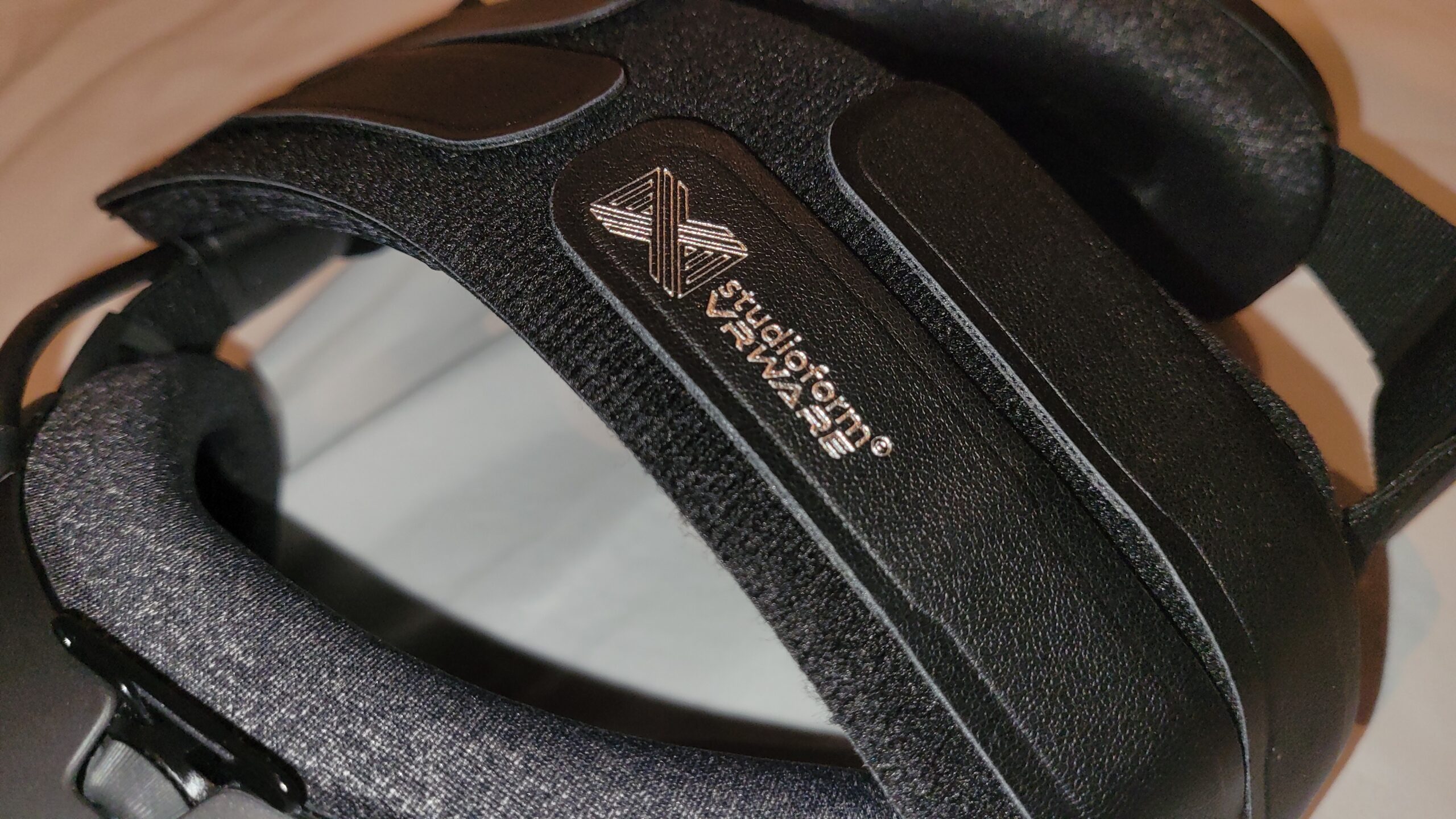
This is Studioform’s Apache Comfort Strap. The Apache is made for all kinds of headsets such as the Valve Index, Quest headsets, PSVR 2, Pimax Dream Air, and many more, with the Steam Frame version being their newest addition. I’ve now been using it for just over a week, and here’s my impressions.
Out of the Box
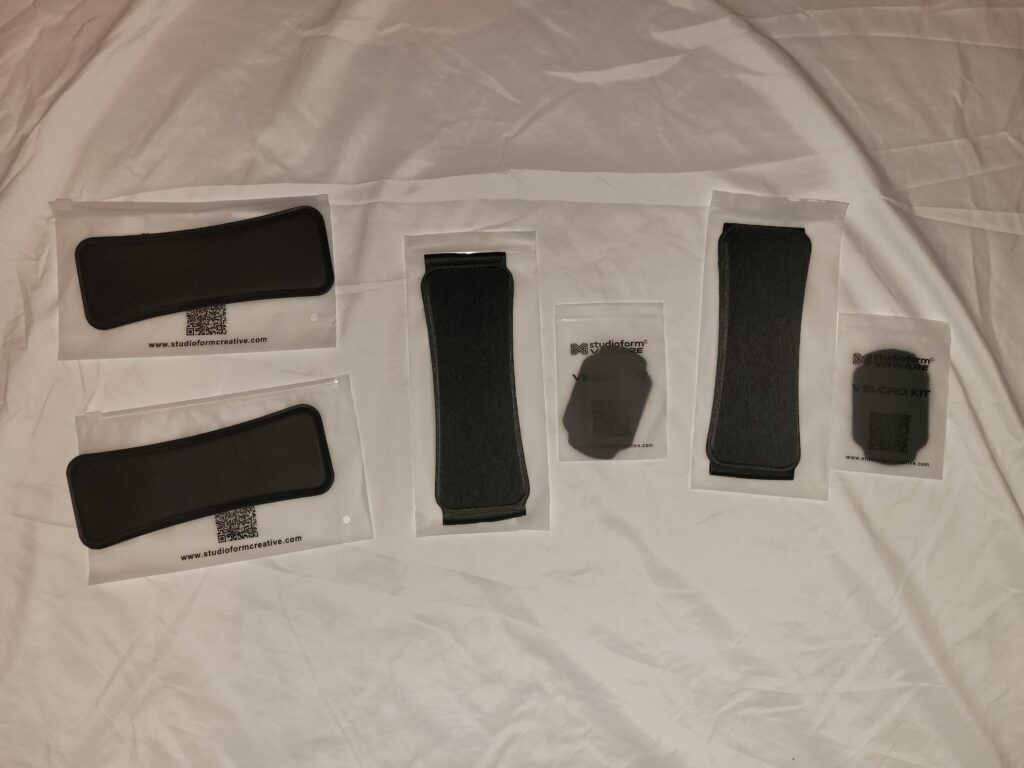
Included in the box are a short Apache strap, a long Apache strap, a velcro patch, and one or two comfort pads, depending on how many you selected at purchase. Both sizes of the Apache are included to accompany varying head sizes, but I opted to use the long one because I have a bit of a larger head. And the comfort pads (swappable cushioning pads that attach by velcro to the Apache) are available in either fabric or leather. I was given two of each, but only up to two total may be purchased for a single Apache strap kit. You may also notice in the photo that a second Velcro Kit is here, but you can only get one when you buy a kit (you won’t need more than one anyway). At the time of writing, the Apache strap is available for $27.95 USD from Studioform’s website, or $35.95 if you select one of the options that comes with a second comfort pad.
One thing I immediately noticed while unboxing is that the included instructions are for the Valve Index, HP Reverb, and Varjo Aero. Obviously this isn’t the end of the world, but some instructions that are inclusive of the Steam Frame would’ve been a welcome addition, especially given the fact that these instructions make mention of the headset having an existing top strap, which is something that not all Steam Frame owners will have.
Trying It Out
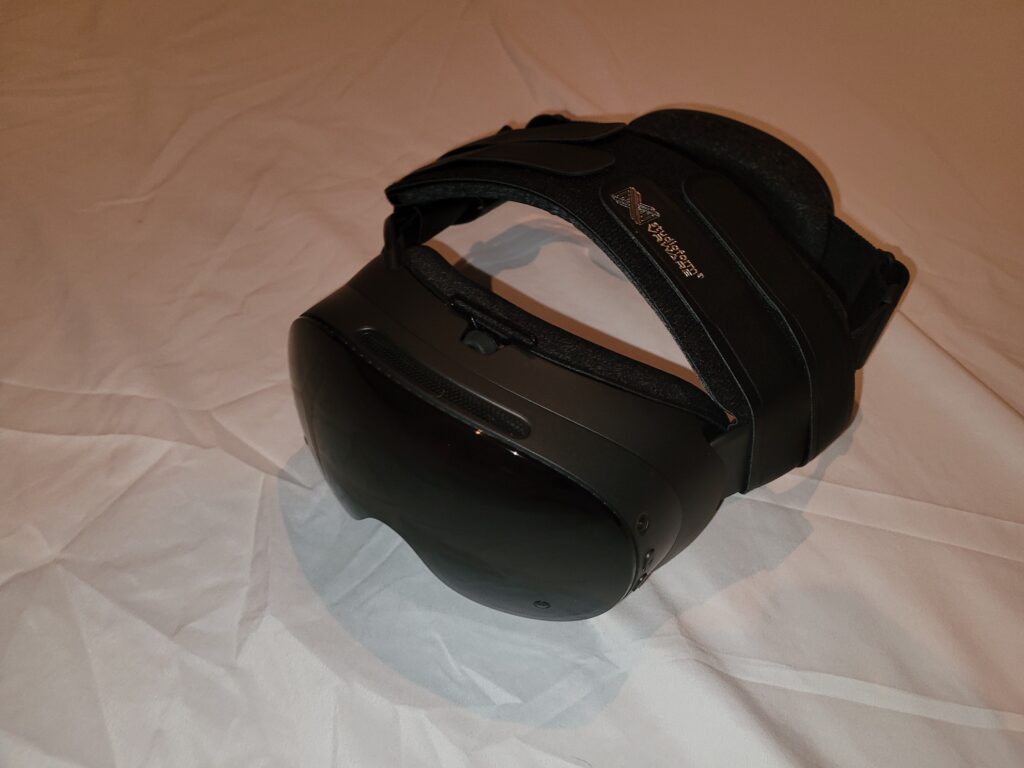
The setup instructions are very straightforward. All you have to do is place the Apache under the headset, wrap the bands around the sides and up to the top, then put on the headset while holding the Apache strap in place, and attach the four velcro bands at whatever points make it feel most comfortable for you.
Despite the simplicity of the instructions, I will admit that finding the sweet spot was a bit cumbersome. In addition to making sure the headset isn’t too tight on your face as you would with most VR devices, the Steam Frame also has its battery pack in the rear to account for. Normally, the battery pack is supposed to rest towards the bottom part of your head so that it acts as a counterweight, and it’s not meant to be very tight. But with the Apache, the battery pack is tighter, causing it to rest a little higher than it normally does; having it tighter against the upper part of my head felt a little uncomfortable for me, though you may feel differently about it than I do. And I also found that if the Apache is tightened enough, it will cause the battery pack to slide further upwards against the back of my head when I tilt my head up. So, during setup, I found myself constantly attaching and reattaching each of the four velcro bands to make sure the headset is not too tight and not too loose against my face, while also ensuring that the battery pack at the back is not too tight that it’ll slide away on me. I got better at finding the sweet spot over time, but avoiding the battery slide was always an issue, and I still wasn’t super comfortable with the battery position being higher in the first place (although that last point is down to personal taste). It’s possible this all could be specifically a me-issue due to head size or shape, but do keep it in mind if you also have a somewhat large head.
After all of my fiddling, I did eventually find the sweet spot, and everything was smooth sailing from there. I played games like Beat Saber and Vacation Simulator with the Apache attached snugly to the top of my head, and it did a great job of keeping the Steam Frame secured to my face. With the fabric pad attached (which was my favorite of the two pad options), the strap is very plush, and feels quite comfortable against my head. I had managed to find just the right spot where nothing would feel too tight or too loose, and without the headset droop problem I was having before I got the Apache.
Cross-Examination: What About the Official Strap?
Eventually, I noticed the Ergonomic Accessories Kit was back in stock in the US, so I got curious and decided to pick it up and see how Valve’s official top strap compares to Studioform’s Apache.
The official top strap attaches in a Y-shape, with one end passing through a hook at the front of the headset, and the other two ends going on each side of the battery at the back, instead of only attaching at the sides like with the Apache. The official strap definitely felt less premium and less snug on the top than the Apache strap. However, I found that it was better at keeping the battery pack in its intended place than the Apache was; I did not have the sliding battery issue either.
Then, I had a thought: what if I try the official strap and the Apache strap at the same time? It turns out, that’s exactly what the included velcro patch is for. After putting on the official strap, looping through the Apache at the bottom, and velcroing them together, the Apache made the Valve strap feel more comfortable, but it was definitely only a marginal improvement over the Apache strap by itself. The battery placement issue was still there.
Verdict
The Apache strap feels very comfortable on the top of your head and does a good job at supporting the Frame, but the awkward battery position is what’s holding me back from making this my daily-driver. And unfortunately, the difficulty I had with the adjustment means that I don’t think I can recommend the Apache strap for multi-user use cases because it will need to be readjusted every time a different user puts the headset on, which in my experience, takes at least a few minutes to do each time. However, it’s much better in a single-user configuration, because you can just set it up once and never need to mess around with it again after that.
So if you want a top strap that’s more comfortable and you can get over the battery pack potentially being higher on the back of your head than it usually is, Studioform’s Apache strap is a great option.
The Studioform Steam Frame Apache Strap is available now from Studioform’s website starting at $27.95. Thank you to Studioform for sending it over for me to review!