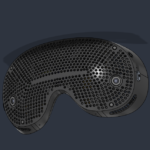


Valve has released a new SteamOS update to the beta channel, with the main highlight of the update being improved support of the proximity sensor.
You can choose to set the sensor to a new “high sensitivity” option, which Valve says is supposed to continue detecting your face in the headset under a wider variety of conditions, such as if you’re using glasses spacers. So if you’ve been having issues with the proximity sensor on your Frame lately, maybe this update could be worth a try.
You can opt into the SteamOS Beta channel at any time on your Frame by going into Settings > System > System Update Channel.
To learn more about this update, check out Valve’s changelog for it here.